F1 live tracker: every car, every gap, every stop
Free in your browser · track map, gaps, strategy and pit stops while the session runs
A tracker answers one question: who is where, and what is about to happen? PITWALL's live tracker puts the whole field in front of you at once, not just the two drivers a broadcast happens to follow, and keeps a rolling record you can scroll back through during the session.
What it tracks
- Positions on the track map. Each car as a labelled dot on the circuit outline, selected drivers highlighted in the same colours across every window. Needs a connected F1 TV subscription (see below).
- The lap as a circle. The circle map unrolls the lap into a ring and places every car on it. Without F1 TV it is estimated from the timing data (time since each car crossed the line, and its gap), and it says so on the window.
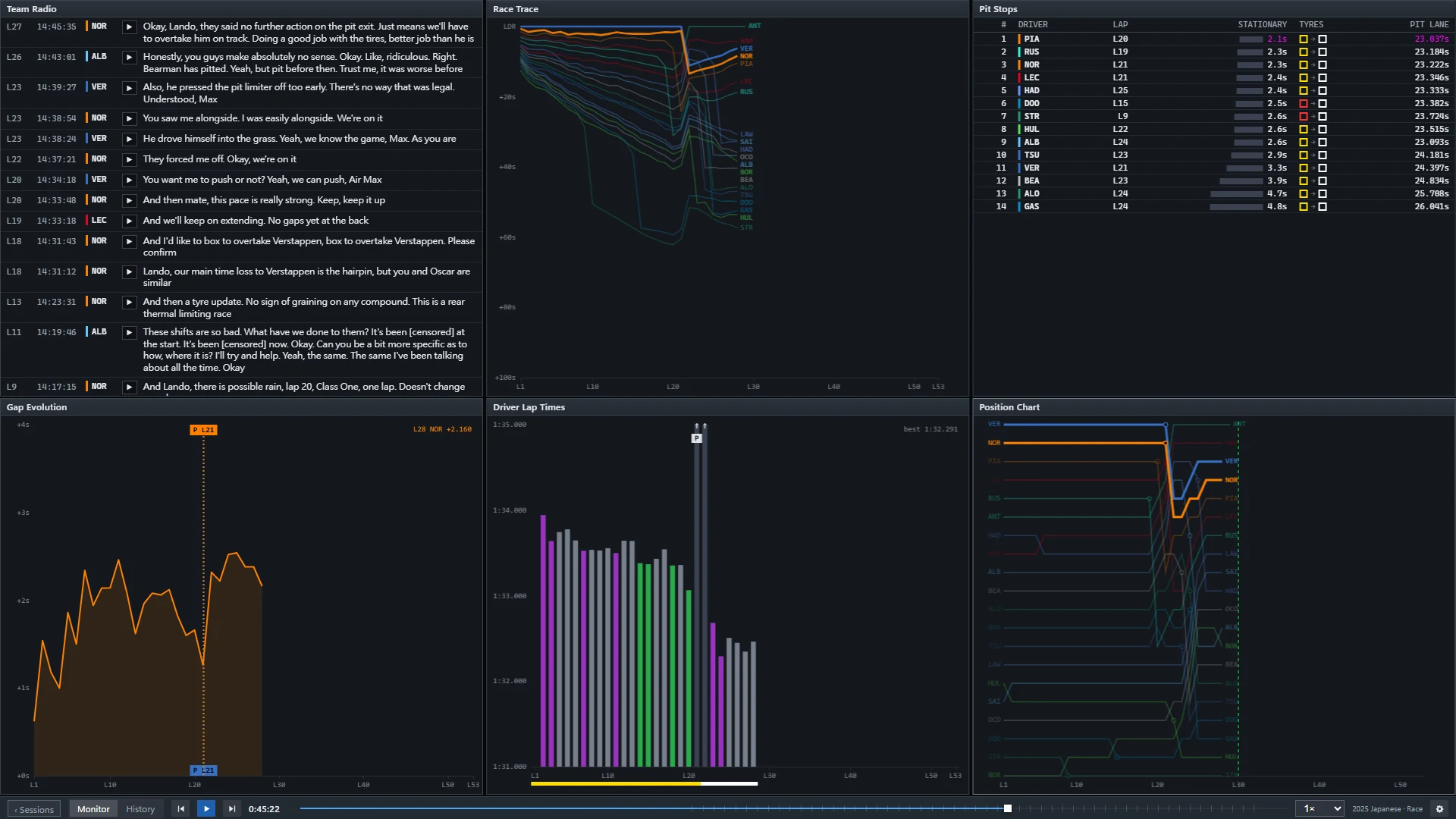
- Gaps over time. Race trace draws every car's gap to the leader lap by lap, so pit stops, safety cars and undercuts show up as shapes; gap evolution follows the gap between the two drivers you pick.
- Strategy and pit stops. Tyre strategy shows each stint and compound, the pit stops window lists stationary and pit-lane times, and the pit window shows where each driver would rejoin.
- Position chart and driver lap times for the order at every lap end and the pace of each car.
With or without F1 TV
Everything except the car position and telemetry data works with no account at all. The track map, speed trace, throttle, brake and traffic windows use car data that F1 only sends to signed-in F1 TV subscribers; connect your own subscription with a bookmark and the access token stays in your browser. How to connect F1 TV. Until then those windows show a dash.
Follow a session from the first lap
- Open the wall and choose the live session on the home banner, or use the button above while a session is on.
- Click a driver in the ranking tower or on a map to follow them across all windows; Shift-click a second driver to compare.
- Pause or drag the timeline back to review a moment; the live point and the “behind live” time are always shown, and one click returns you to the live point.
Questions
Is this the official F1 tracker?
No. PITWALL is an unofficial project, not associated with the Formula 1 companies. It uses the public live timing feed and, if you connect your own F1 TV subscription, the car data that goes with it.
Why is the track map empty without F1 TV?
Car positions are part of the data F1 only sends to signed-in subscribers. PITWALL does not guess them for the map; the circle map is the one window that shows an estimate, and it is labelled as one.
Can I use it on a second monitor next to the TV?
Yes. That is what it is for: the wall adds a 10 second delay by default so it matches most broadcasts (adjustable from 0 to 120 seconds), and windows can be popped out and arranged across screens.
What happens after the session?
The session can be replayed by the official timestamps from 0.5× to 128× with the same windows. The replay library starts with the 2025 and 2026 Japanese Grand Prix and grows as races are processed.